Reports and day close
Close the day with cash, UPI and card by staff, and find the right report among 38.
Day close (every night)
Open Reports → Day close, or Today → Day close.
It shows everything received today: Total received, split by mode (cash, UPI, card…) and By staff, with every payment listed. Count the cash drawer and match it with the cash total. Print it for your records.
Correct or cancel a payment
Open Payments, then the receipt (or the pencil next to a payment on a bill or booking). Owner and manager only:
- Correct: change the mode (cash ↔ UPI), amount, date, reference or details. Give the reason. The receipt keeps its number.
- Cancel payment: for money entered twice or never received. The receipt stays on record marked Cancelled with who, when and why; it stops counting in the bill, the day's cash and every report, and the bill shows as due again.
Payments are never deleted. Every correction and cancellation is in Reports → Audit. See cancelled ones with the Cancelled filter on Payments.
Reports
Open Reports. They are grouped:
| Group | Some reports |
|---|---|
| Front office | Booking register, Arrival list, In-house guests, Foreign guests (Form C), Business by source |
| Rooms & revenue | Occupancy, Revenue by room type, Company-wise business |
| Restaurant | Item-wise sales, Waiter-wise sales, KOT register, Hour-wise sales |
| Bills & payments | Sales register, Payment register, Outstanding bills, Advances, Refunds |
| GST & tax | HSN / SAC summary, GST rate summary, Credit note register |
| Control & staff | Discounts given, Removed items (voids), Staff collections, Bill edits |
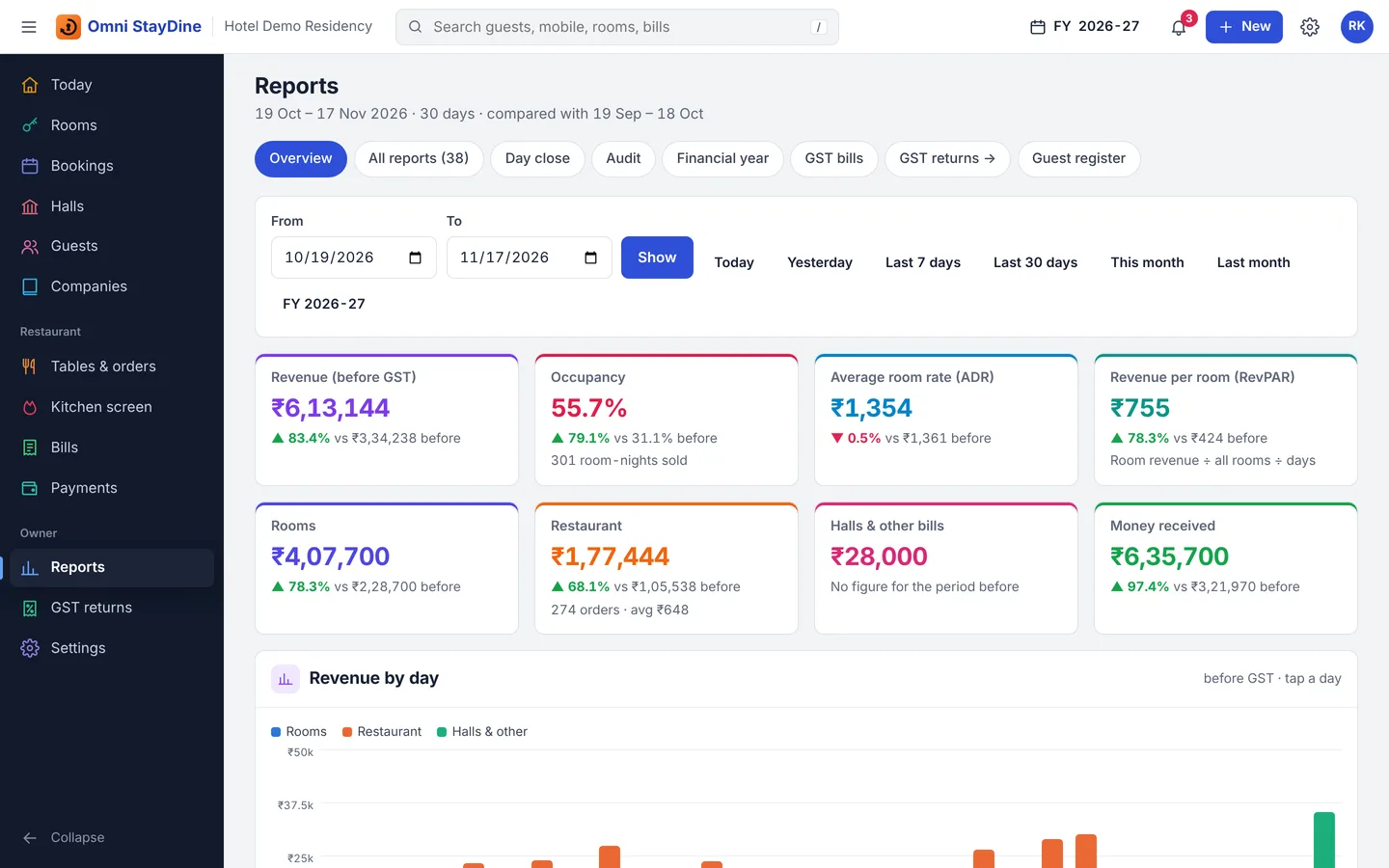
Pick dates at the top. Each report can be printed or downloaded for Excel. The Summary page shows occupancy, ADR, RevPAR and income compared with the previous period. The Year summary shows the whole financial year.
The owner can see all of this live from a phone, anywhere.