Know how much paneer is left. Without counting.
Tell StayDine what one plate uses. Every KOT takes its share out of stock, so you see what is left, how many days it will last, and what to order, on the counter and on your phone.
Comes with the restaurant part of every plan. Works offline on the Windows app.
- Send a KOT and watch the paneer go down.
From the vendor’s bill to the plate
- 1BuyEnter the vendor’s bill, or press + In. Stock goes up; the price is kept.
- 2Set the recipePaneer Butter Masala: paneer 150 g, cream 30 ml. Once.
- 3Sell as usualEvery KOT takes its share out. Nothing extra for the waiter or the cashier.
- 4See and orderWhat is left, how long it lasts, what to order. A stock check now and then shows any loss.
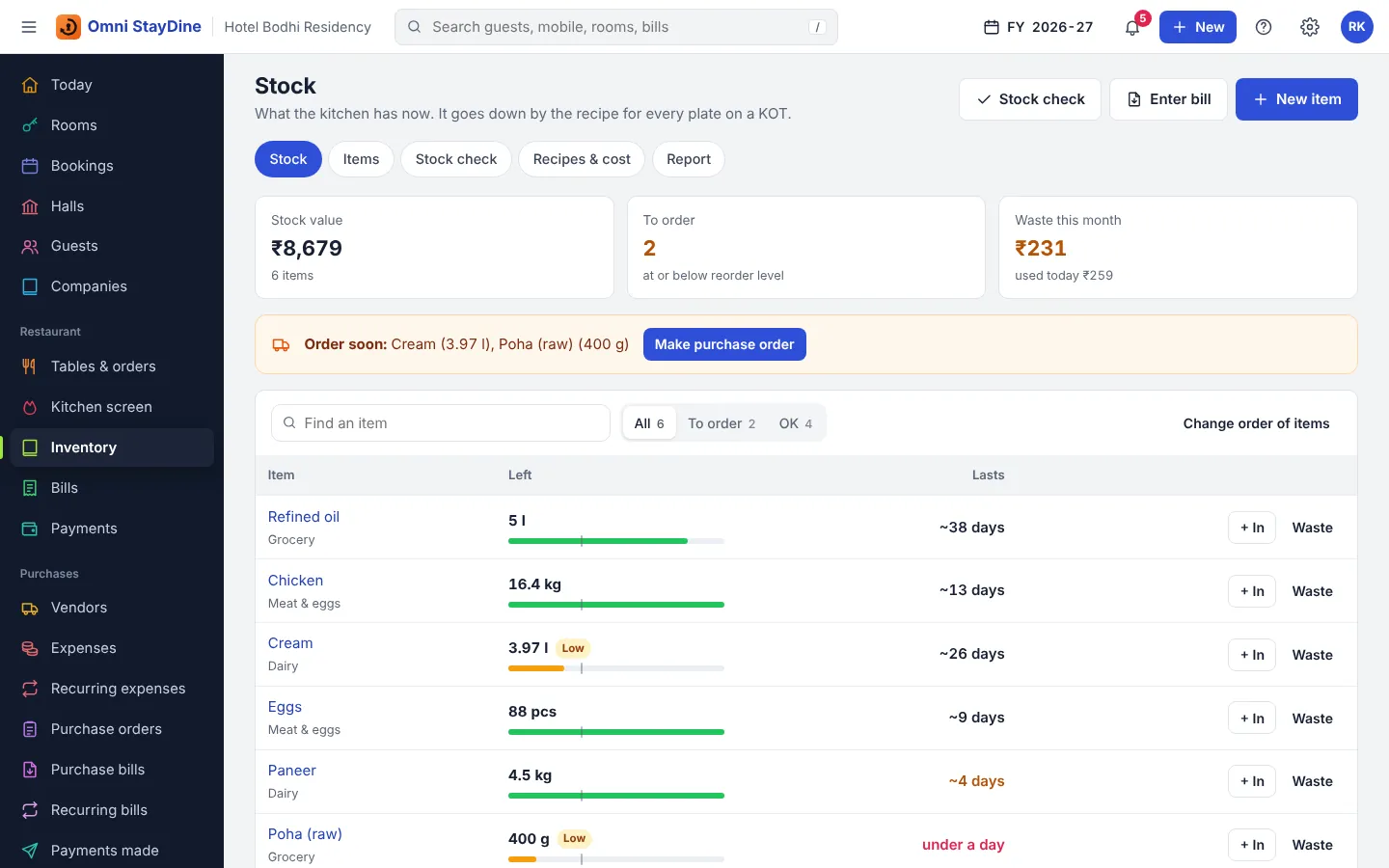
One look tells you what to order
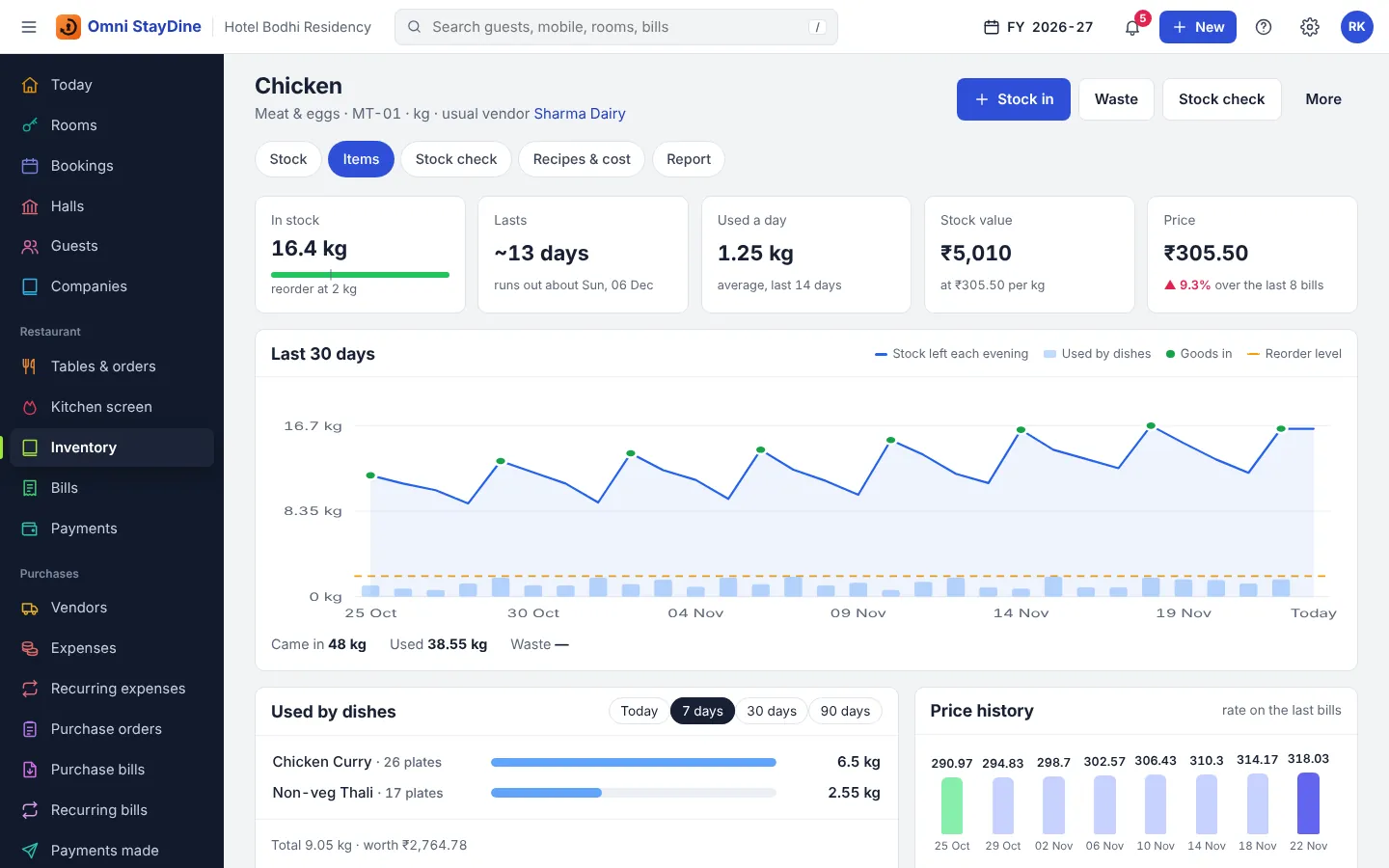
Every item with what is left, a colour for how close it is to the reorder level, and how many days it will last at today’s pace. Open an item for its last 30 days and its price on every bill.
Stock, recipes, purchases and expenses
Everything the kitchen buys and uses, and everything the business spends, next to the bills you already make.
Stock that counts itself
- Every KOT takes its share out of stock, by the dish’s recipe
- Half plate takes half; Small, Medium, Large can have their own recipe
- A removed item or a cancelled order puts the stock back
- Kg and litre items, with recipes in grams and ml
What to order, and when
- Each item shows how many days it will last at today’s pace
- A reorder level per item, with a bell when it runs low
- One click makes a purchase order for everything that is low
- Send the order to the vendor on WhatsApp, or print it
Recipes and food cost
- What one plate costs at today’s prices, and its food cost %
- A dish that crosses 35% or 45% is flagged
- Change a recipe and it applies from the next order; sales already made stay as they were
- Prices follow the latest vendor bill by themselves
Purchases and vendors
- Vendor bills with items, rates, transport and what was paid now
- Each vendor’s account: bills, payments, returns, what you owe
- Goods sent back come out of stock and off the vendor’s account
- Photo of the bill from the phone camera, kept with the entry
Expenses
- Electricity, gas, salary, rent, repairs, with the GST in them
- Rent and salary can enter themselves every month
- Cash paid out is taken off the day close, so the drawer adds up
- By category, by month, and for Excel
Checks and control
- Weekly stock check: weigh, type, see the difference in rupees
- Waste entered with a reason; the report shows the biggest losses
- The kitchen can enter waste and checks, not purchases
- Every entry shows who made it and when
The report your accountant asks for
For any dates: opening stock, bought, used by dishes, waste, the difference found at stock checks, and closing value. Food cost against sales, and where the money went. Download for Excel.
Restaurant billing features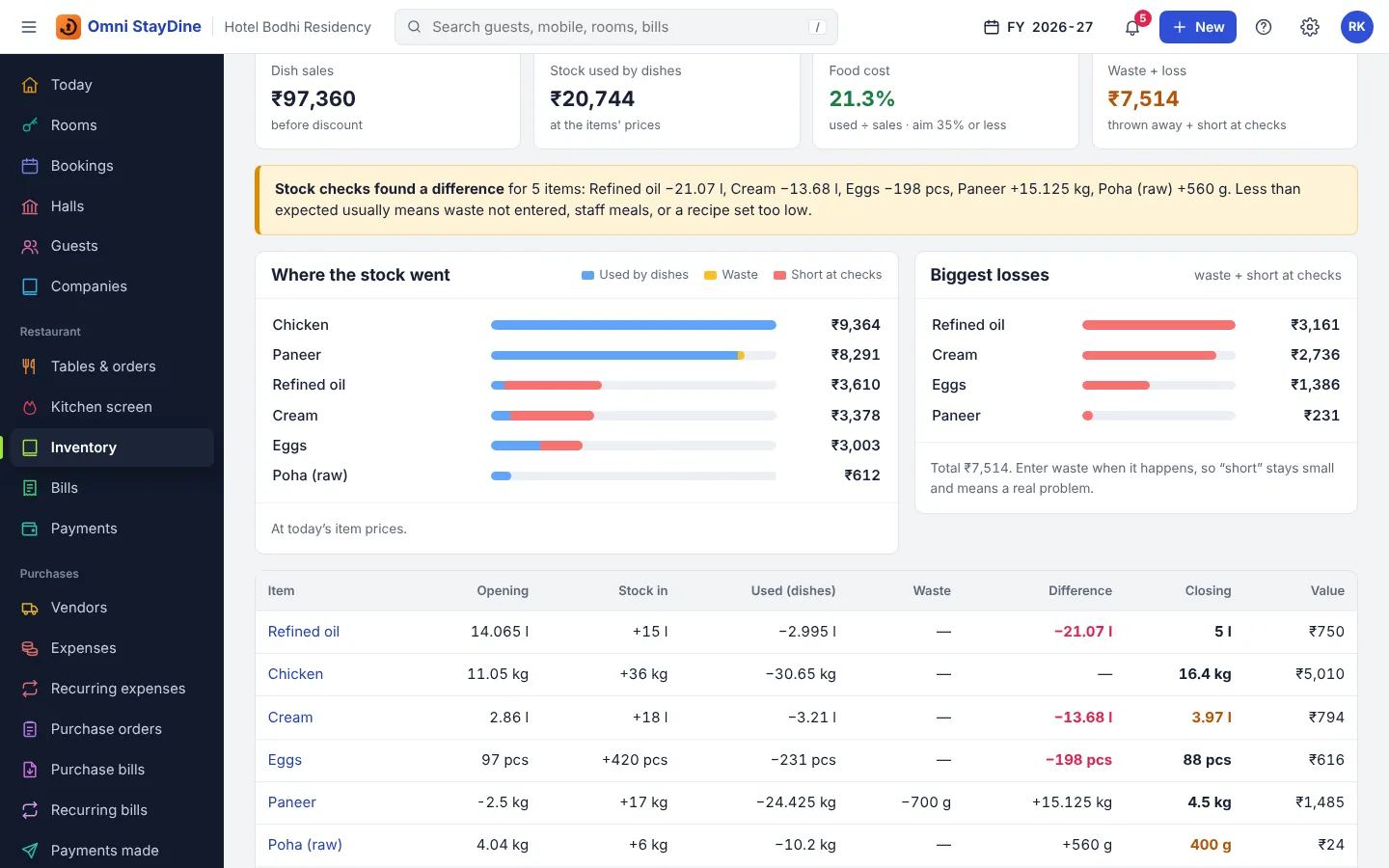
Questions owners ask
Do I have to set a recipe for every dish?
How does it know how much is left?
What about a half plate or different sizes?
If I change a recipe, does old stock change?
Will it work without internet?
Can it track vendor dues and payments?
Is it extra?
See your stock go down with every KOT
Free trial, no card. We help you add your items and recipes on a call.