KOT and the kitchen screen
The kitchen sees new orders with a sound, and marks them cooking, ready and served.
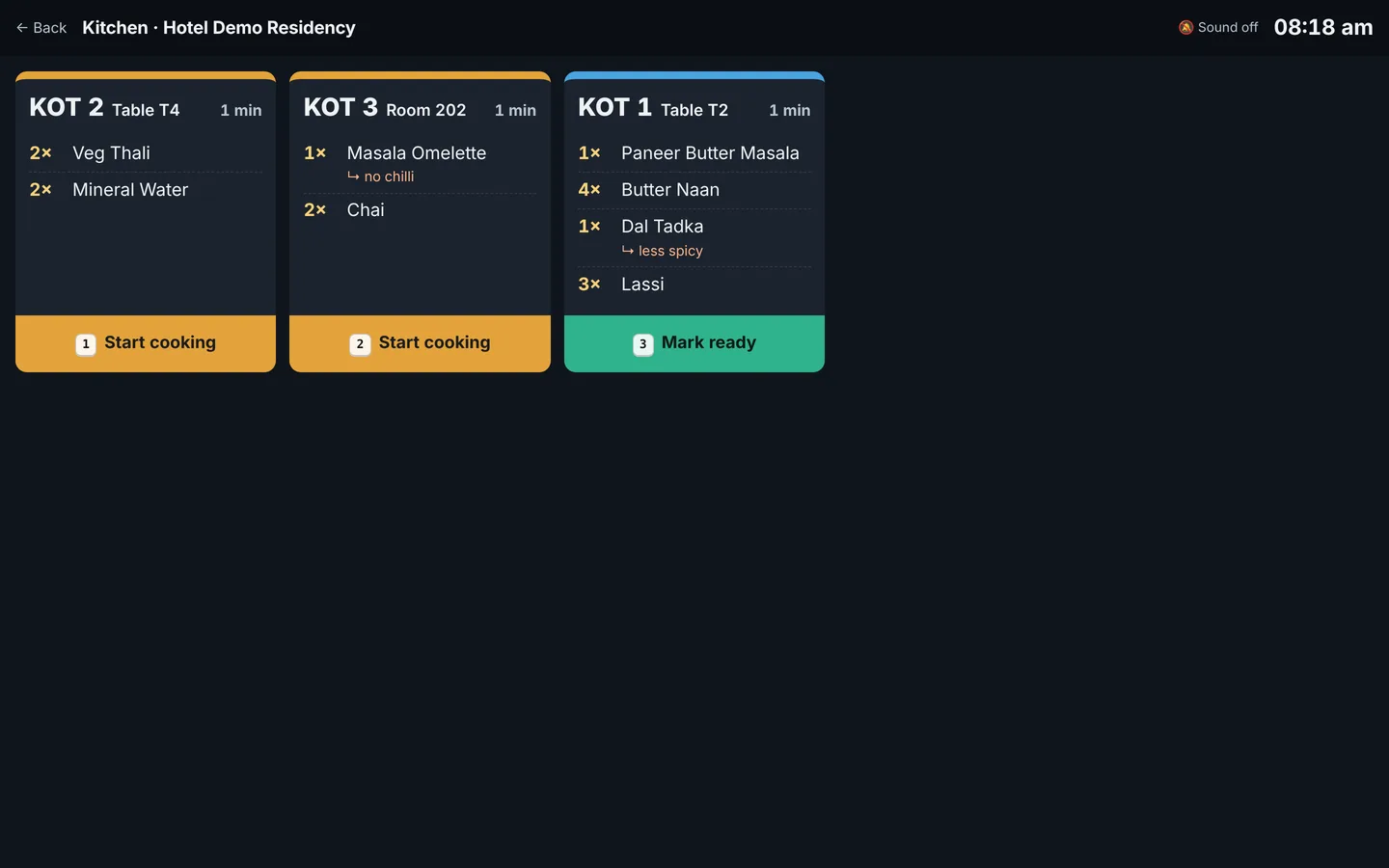
Open Kitchen screen in the left menu, on a tablet, TV or PC in the kitchen. A Kitchen login sees only this screen.
How it works
- A new KOT appears with a sound, showing the table, the dishes and any notes.
- The cook taps Start cooking.
- When the food is ready, tap Mark ready. The waiter sees it.
- After serving, tap Served. The ticket leaves the screen.
Removed dishes show crossed out, so the kitchen does not cook them.
Printed KOT
Under Settings → Bill design & print → KOT (kitchen) you can:
- Print the KOT every time an order is sent to the kitchen.
- Show prices on the KOT and Show waiter name.
- Choose a large text size, easy to read in a busy kitchen.
Choose the KOT printer in Printers (this PC) on the Windows app. See Printers, A5 bills and silent print.