GST returns: GSTR-1 and GSTR-3B
Get the figures for GSTR-1 and GSTR-3B and the JSON file for the GST portal.
Open GST returns in the left menu.
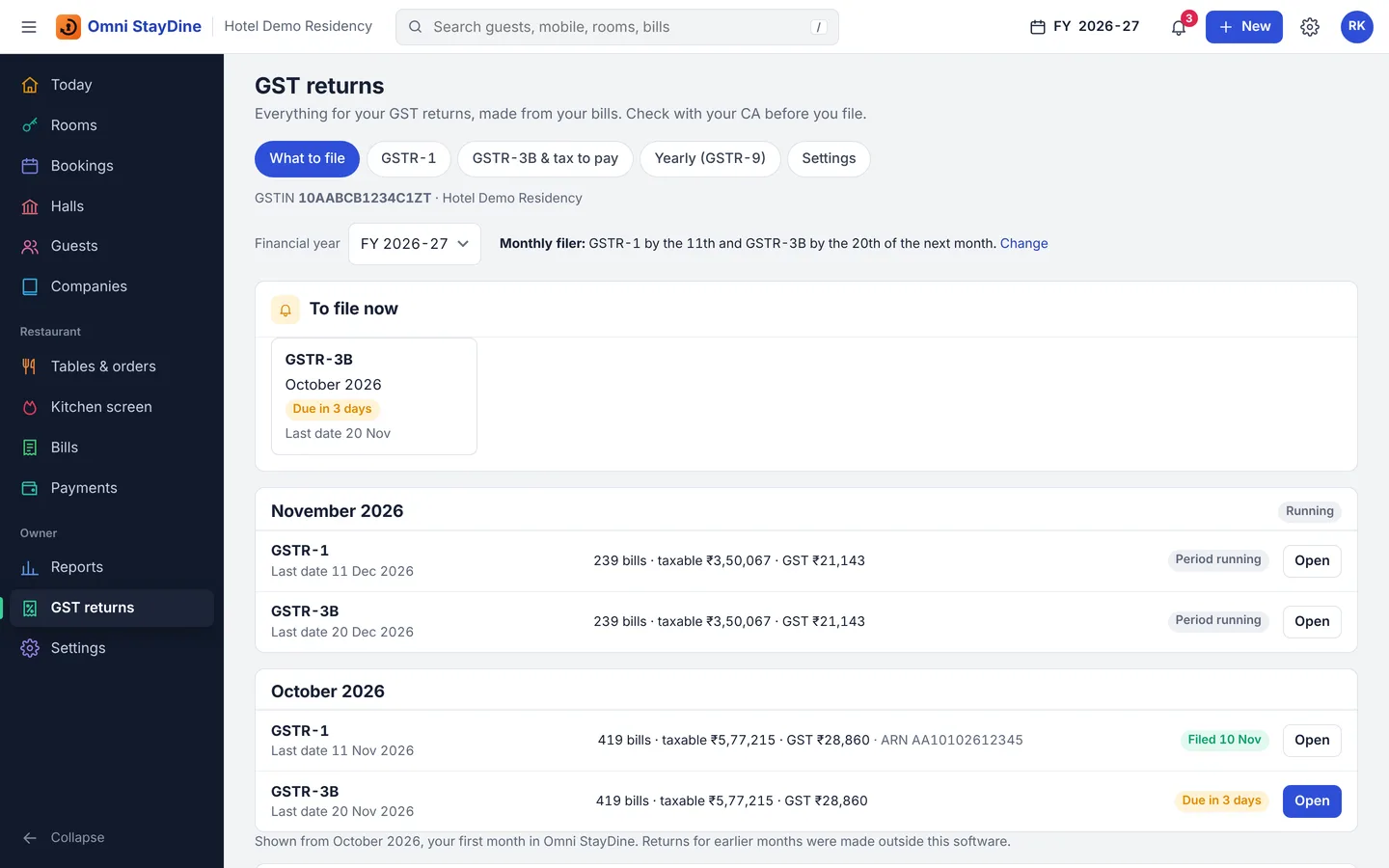
Every month (or quarter)
- Pick the period. The page shows the last date and the status (Running, To file now, Filed).
- Open GSTR-1: B2B bills, B2C, credit notes and the HSN / SAC summary, ready to type or upload.
- Press Download for GST portal to get the JSON file. On the portal, use GSTR-1 → Prepare offline → upload it.
- Open GSTR-3B: the tax to pay. Pay it on the portal (challan), file GSTR-3B, then press Mark as filed here.
Monthly filer, quarterly filer (QRMP) or composition (CMP-08) is set in Settings → GST; the page follows it.
Bookings from OTAs
Sales made through MakeMyTrip, Booking.com and others are shown separately for GSTR-1 table 14, with the OTA's GSTIN, when you choose the site in Booked through.
This is a helper, not tax advice. Have your CA check the figures before filing.