Rooms screen and room colours
What each room colour means, and everything you can do from a room tile.
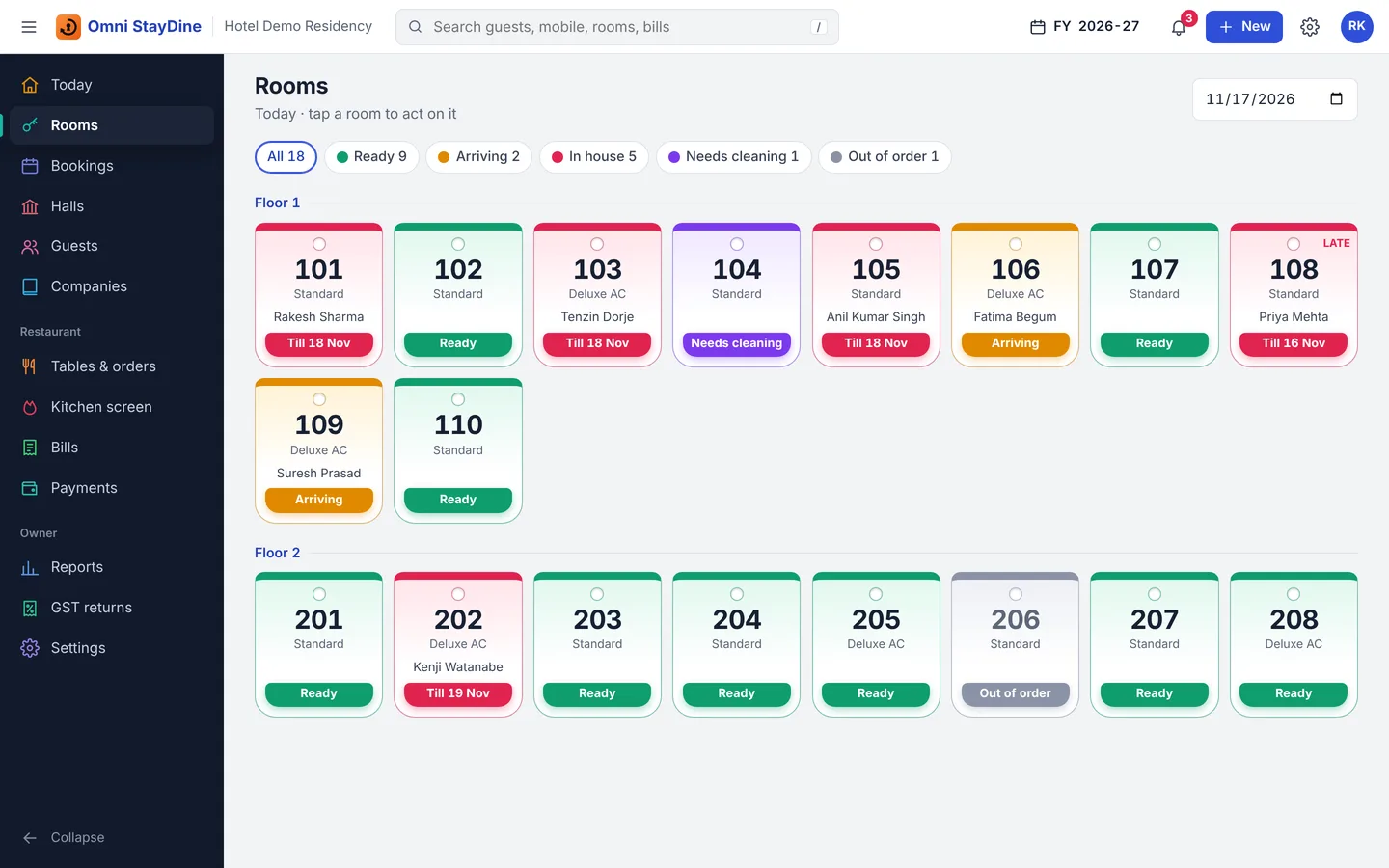
Open Rooms in the left menu. Every room is a tile, coloured by its state:
| Colour | Means |
|---|---|
| Ready | Clean and free. Click it to book or check in. |
| Arriving | A booking is due today. |
| In house | A guest is staying. |
| Needs cleaning | The guest has left. Clean it, then mark it ready. |
| Out of order | Under repair, not sold. |
Click a room
- Free room: start a booking for this room.
- In-house room: see the guest, the room bill, add room service or extra charges, take an advance, or Check out.
- Housekeeping: set Clean & ready, Needs cleaning or Out of order.
After checkout the room turns to Needs cleaning by itself. When housekeeping finishes, click it and choose Clean & ready.