New booking and walk-in check-in
Book a room in a minute: mobile number, name, room, rate, and check in when the guest is here.
Open Today → Walk-in check-in, or the + menu → Room booking, or click a free room on the Rooms screen.
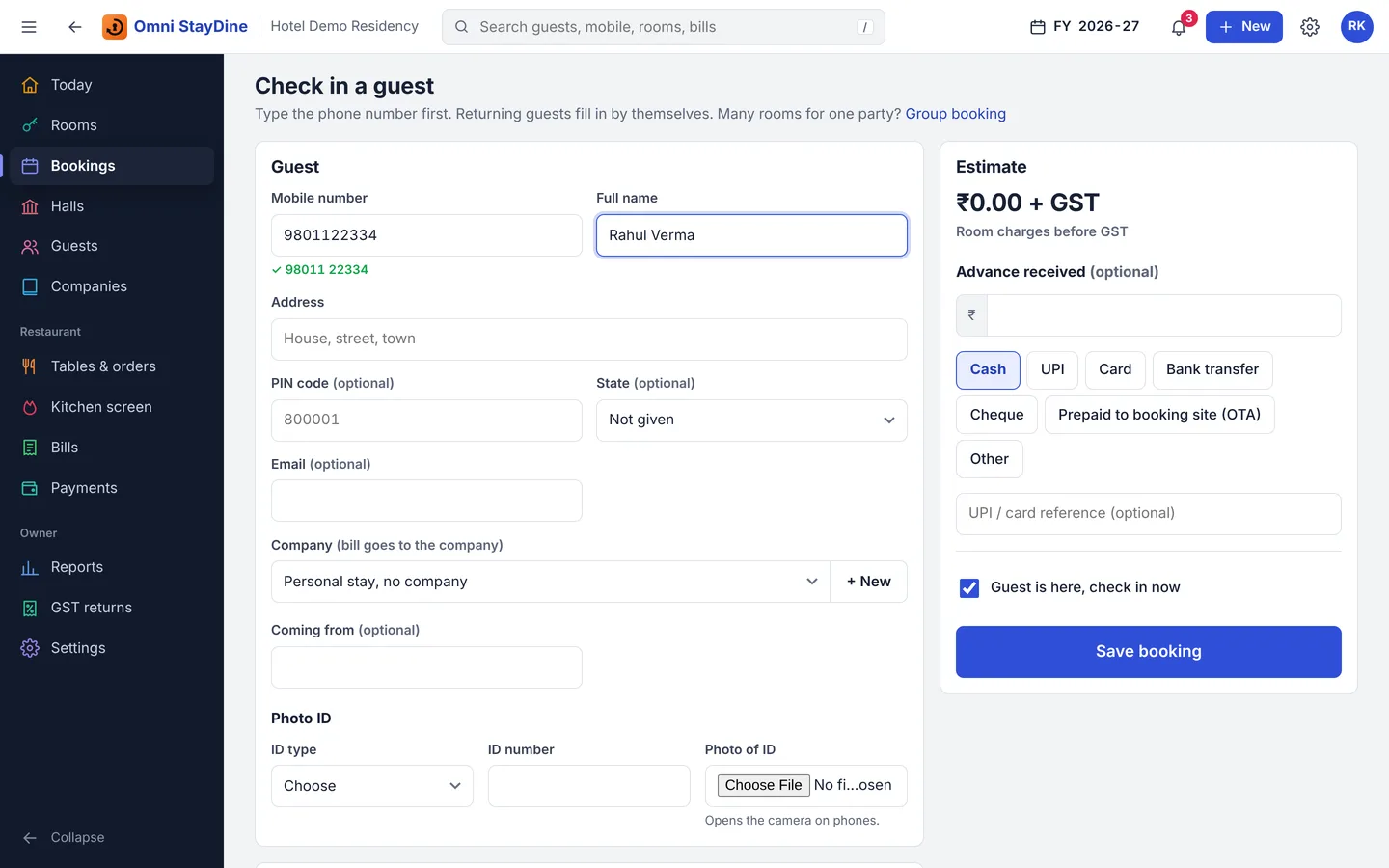
Fill the form
- Mobile number: type it first. A returning guest's name, address and ID fill in by themselves.
- Full name of the guest.
- Arrival date and Departure date (or the nights).
- Room: only rooms free on those dates are shown.
- Room rate per night: comes from the room type; change it if you agreed another rate.
- Extra person charge, Adults and Children if needed.
- Booked through: walk-in, phone, or an OTA (MakeMyTrip, Booking.com…) with its reference number.
- Photo ID: ID type and number. On a phone, Photo of ID opens the camera.
- Advance received: amount and mode, if the guest paid.
- Tick Guest is here, check in now for a walk-in. Leave it off for a future booking.
- Press Save booking (or Ctrl + S).
Use Enter to go to the next box. See Keyboard shortcuts.
Company guest
Choose the company under Company, or press + New to add it with its GSTIN. The checkout bill then goes to the company (B2B bill).
Booking from an OTA
Choose the site under Booked through and enter the OTA reference. Make the bill on the full room rent the guest paid, not the amount the OTA sends you after commission. If the OTA already took the money, choose the payment mode Prepaid to booking site (OTA), not Cash, so your cash count stays right.
Checking in a booking later
When the guest arrives, open the booking (from Today → Arriving today) and press Check in.