Checkout and the GST bill
Room, food and extras on one GST bill: check the bill, take payment and check out.
Open the booking and press Check out, or click the room on the Rooms screen → Check out.
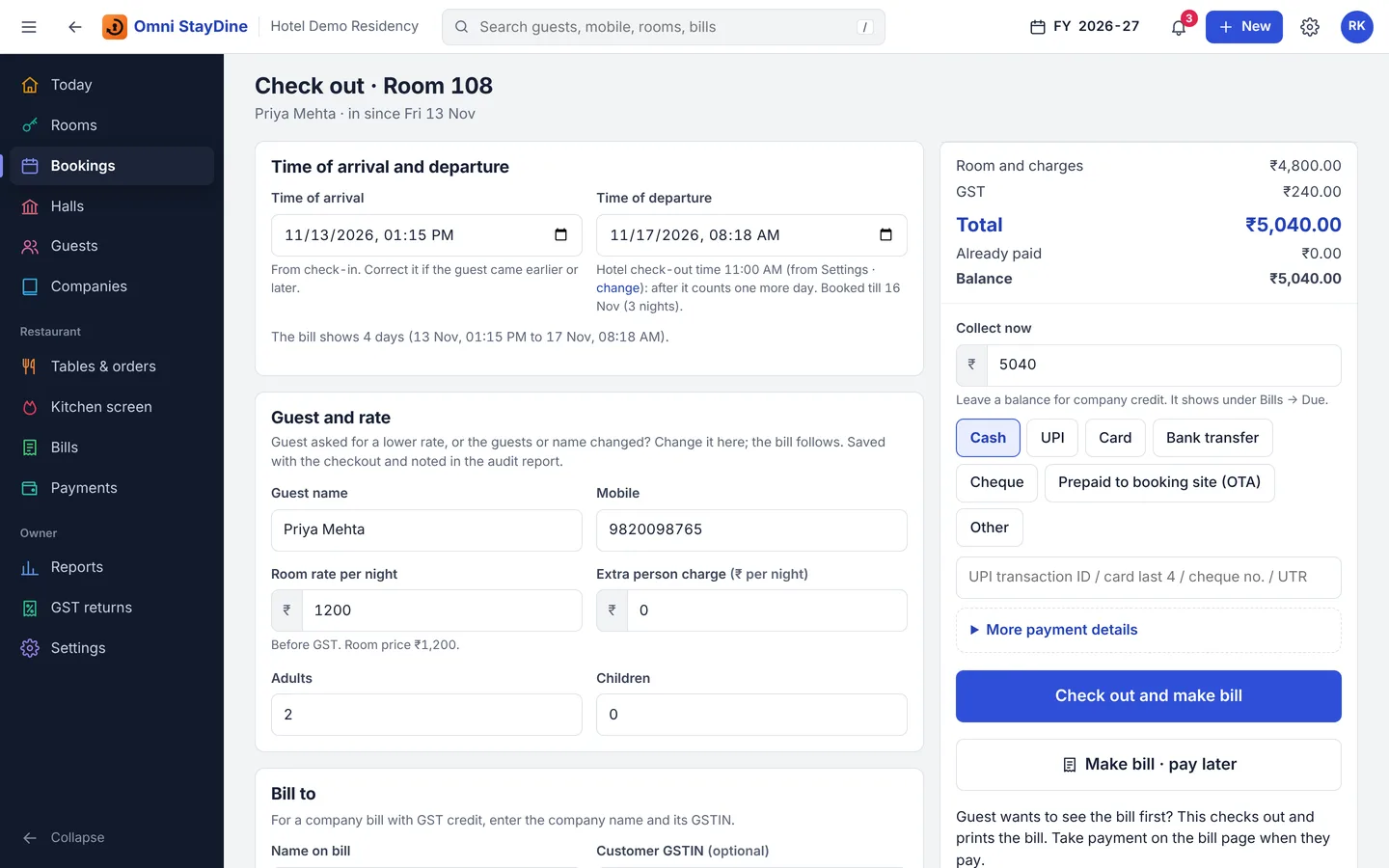
On the checkout screen
- Guest and rate: correct the guest name, mobile, room rate, extra person charge, adults or children if anything changed. The total updates at once.
- Time of arrival and departure: from check-in. Correct it if the guest came earlier or later.
- Room and charges: room rent, restaurant orders put on the room, and extras.
- Bill to: the guest, or a company with its GSTIN.
- Separate restaurant bill: tick it if the guest wants food on its own bill.
- Collect now: the balance after advances. Choose the mode: Cash, UPI, Card, Bank transfer, Cheque, Prepaid to booking site (OTA) or Other.
- Press Check out and make bill.
Guest wants to see the bill first? Press Make bill · pay later: it checks out and prints the bill, and you take payment on the bill page when they pay.
The GST bill is ready to print or send on WhatsApp. The room turns to Needs cleaning.
Company credit
Leave a balance for company credit. It shows under Bills → Due. Record the payment there when the company pays.
Open restaurant order?
If the guest still has an open restaurant order, the screen tells you. Open it and add it to the room bill first.